CLI Unit Converter in Rust
TIMELINEFebruary 2025
TECH STACKRust, Clap CLI framework
SKILLSSystems Programming, Open Source Publishing
OVERVIEW
Learning through building
Built and published cnv, a command-line unit conversion tool written in Rust. The project served as a hands-on introduction to systems programming concepts including memory management, type safety, and CLI design.
MOTIVATION
I wanted to learn Rust
Seeing by its growing popularity and adoption in developer tooling, I wanted to try my hand in Rust and in a way, start learning systems programming. Having worked primarily with high-level languages like JavaScript and Python, I needed a project small enough to complete but substantial enough to explore Rust. A CLI tool for unit conversions fit perfectly.
DEVELOPMENT PROCESS
Starting from scratch
I learned Rust from "The Rust Book" and jumped into the project once the basics clicked. Clap framework was the natural choice for command-line parsing as that was quite the standard for Rust CLI applications.
Named the tool
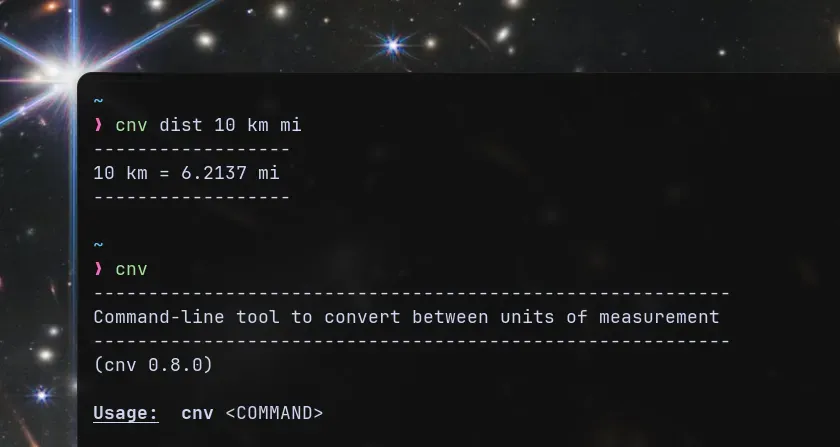
cnv as a shorthand for "convert". It was short, simple, easy to remember and available on crates.io (the official Rust registry). Check it out here: crates.io/crates/cnvThe initial design was simple - a command that takes a measurement type, value to convert, source & target units. I immediately got to understand the Rust's ownership model as I structured the code to handle user input, perform conversions, and display results.
Started with basic conversions like distance and weight, experimenting with pattern matching, enums and error handling. Then, I gradually expanded it to support other measurements.
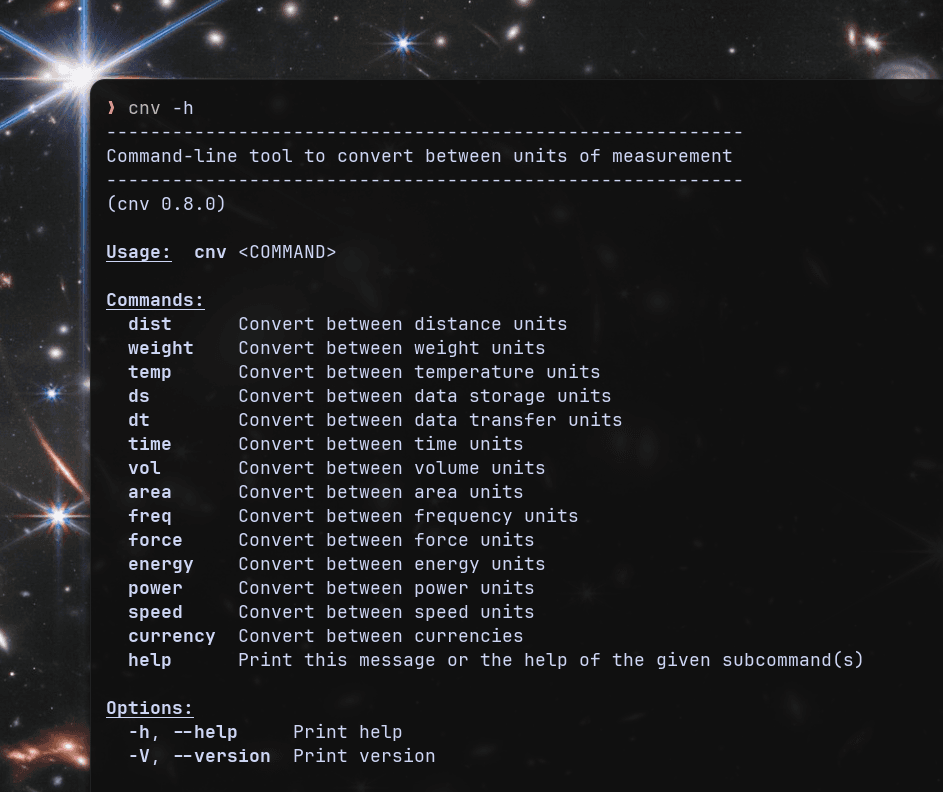 Screenshot of the help command with all the units of measurement supported
The project was approached as if it were a real-world application. So throughout the development process, I followed semantic versioning with incremental releases, maintaining a clear changelog for every update.
HOW TO USE
Install and convert from your terminal
If you don't have Rust installed in your system, install it from here:
https://rust-lang.org/tools/install/
https://rust-lang.org/tools/install/
If you already have Rust installed, you can try
cnv immediately:bash
# Install the tool
cargo install cnv

# Convert 10 kilometers to miles
cnv dist 10 km miles

# Convert 25 celsius to fahrenheit
cnv temp 25 c f

# See all supported measurements
cnv -h

# List all units in a category (e.g., data storage)
cnv data -L
The tool supports distance, weight, temperature, data storage, data transfer, speed, area, volume, time, and more. Each category accepts multiple aliases for units.
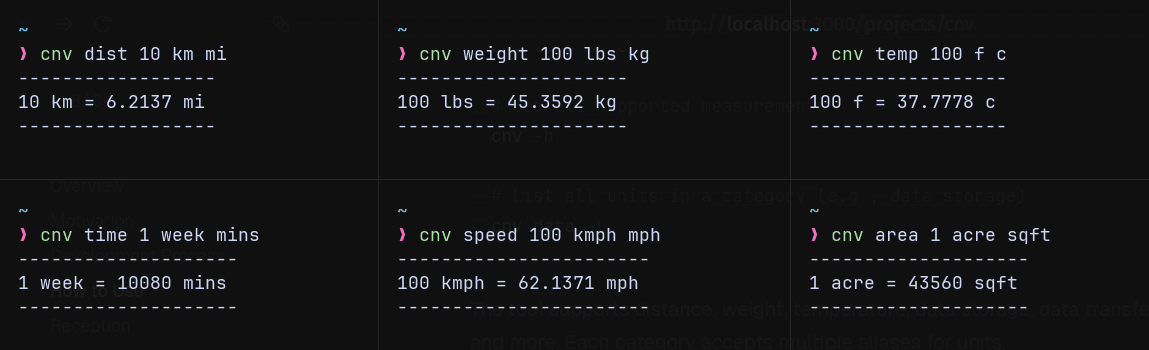 Examples of various conversions
RECEPTION
Personal project to utility
Colleagues at my company started using
cnv for quick terminal conversions, requesting quality-of-life improvements like help and list flags, measurement types like data storage, data transfer speed and support for multiple spelling variations of unit names.Publishing the tool to crates.io made it available across platforms wherever Rust runs and the users could just update it whenever I released new features or improvements.
REFLECTION
My takeaways
- Realized that the more quickly I get hands-on experience with a new language or a concept, the faster I learn and remember it.
- Building a tool that others could use, especially developers, made the learning process more engaging and was rewarding to see a project that started as a learning exercise become useful.